


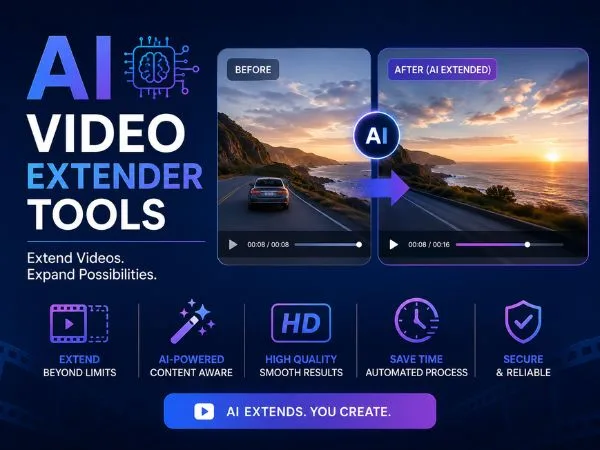

Video extension has quietly become one of the most useful AI video workflows in 2026. Instead of generating entire clips from scratch, creators now extend existing footage to create longer scenes, smoother transitions, looping shots, and cinematic continuations.
After testing the leading platforms over several weeks, I found that the best AI video extender tools are no longer just “experimental.” Some are now reliable enough for marketing campaigns, product demos, music visuals, short films, and high-volume social content production.
The biggest difference between tools comes down to three things:
- Motion consistency
- Prompt control
- Workflow speed
Some tools create stunning continuations but take forever to render. Others move fast but struggle with camera movement or character consistency.
I guarantee at least one of these tools will fit your workflow.
Best AI Video Extender Tools at a Glance
| Tool | Best For | Platforms | Free Plan | Key Strength |
| Magic Hour | All-in-one creator workflows | Web, Mobile | Yes | Fast multi-step AI workflows |
| Runway | Cinematic extensions | Web | Limited | Strong motion coherence |
| Pika | Social-first creators | Web, Discord | Yes | Fast stylized generations |
| Kling AI | Realistic scene continuation | Web | Limited | High realism |
| Luma AI Dream Machine | Fluid camera movement | Web, iOS | Yes | Natural motion physics |
| PixVerse | Viral short-form content | Web | Yes | Quick AI clip expansion |
1. Magic Hour
Magic Hour stands out because it approaches video extension as part of a larger creator workflow instead of treating it like a standalone feature.
During testing, I found it especially effective for creators who need speed and repeatability. The platform’s AI video extender tool makes it easy to continue scenes, create smoother loops, and generate longer clips without constantly exporting assets between separate apps.
That sounds small until you’re processing dozens of videos per day.
Pros
- No signup required to test
- Credits never expire
- Extremely generous free tier
- Strong face swap and lip sync quality
- One-click workflows for generate → upscale → video
- Parallel generations with no strict concurrency cap
- Access to multiple frontier AI models in one platform
- Mobile-friendly and responsive
- Fast weekly feature updates
- API support across tools
- Reliable face swap API for scalable automation workflows
Cons
- Advanced workflows can feel overwhelming initially
- Some cinematic outputs still benefit from manual editing afterward
What impressed me most was workflow efficiency. Many AI video platforms still feel fragmented — one tool for generation, another for enhancement, another for lip sync. Magic Hour reduces that friction substantially.
If you’re building high-volume short-form content or running agency-style production, this is hard to beat for value.
Pricing
- Free plan available
- Creator: $15/month or $10/month billed annually
- Pro: $39/month
- Higher enterprise/API plans available
2. Runway
Runway remains one of the strongest platforms for cinematic AI video generation and extension.
Its Gen-3 models handle scene continuation better than most competitors, especially when extending motion-heavy clips with camera movement. In my testing, Runway preserved lighting consistency more reliably than several newer tools.
Pros
- Excellent cinematic quality
- Strong temporal consistency
- Advanced camera controls
- Good prompt adherence
- Professional editing ecosystem
Cons
- Expensive for heavy usage
- Queue times can spike during peak hours
- Learning curve for advanced controls
Runway feels built for filmmakers and creative teams rather than casual creators. If your projects depend on realism and visual continuity, it’s still one of the strongest choices available.
Pricing
- Limited free usage
- Standard paid plans start around $15–$35/month
- Enterprise pricing available
3. Pika
Pika has improved dramatically over the past year. Earlier versions leaned heavily into novelty AI effects, but the current platform is much better at practical clip extension.
I found it especially useful for social-first content where speed matters more than perfect cinematic realism.
Pros
- Fast render times
- Beginner-friendly interface
- Strong stylized outputs
- Good for TikTok and Shorts workflows
- Frequent feature releases
Cons
- Motion consistency can drift
- Less reliable for realistic human movement
- Limited advanced editing depth
Pika works best when you want visually engaging clips quickly. It’s less predictable for narrative filmmaking, but very effective for creators producing daily content.
Pricing
- Free plan available
- Paid plans start around $10/month
4. Kling AI
Kling AI became one of the biggest breakout tools in AI video because of its realism.
Its video extension capabilities are surprisingly strong when working with natural motion, especially human subjects and environmental shots. Some outputs genuinely look close to live-action footage.
Pros
- Exceptional realism
- Smooth motion interpolation
- Strong physics simulation
- Good detail retention
Cons
- Slower generation speeds
- Less predictable availability globally
- Prompt interpretation can vary
When Kling works well, the results are impressive. The tradeoff is speed. I often waited significantly longer for renders compared to Magic Hour or Pika.
Still, if visual realism matters most, Kling deserves serious attention.
Pricing
- Limited free credits
- Paid tiers vary by usage and region
5. Luma AI Dream Machine
Luma AI focuses heavily on fluid motion and spatial consistency.
During testing, I noticed that extended clips often felt more physically believable than many competitors. Camera motion carried naturally into extended sequences instead of abruptly changing direction or pacing.
Pros
- Excellent camera motion handling
- Natural scene continuation
- Fast generation speeds
- Clean interface
Cons
- Less editing flexibility
- Character consistency still varies
- Limited workflow tooling
Luma AI feels particularly strong for atmospheric footage, travel visuals, product cinematics, and experimental content.
If your goal is visually smooth continuation rather than detailed editing control, it’s a strong option.
Pricing
- Free plan available
- Paid plans available based on usage
6. PixVerse
PixVerse targets creators who need fast viral-style content production.
The platform prioritizes simplicity and rapid iteration. I could generate multiple variations quickly, which made it useful for testing hooks and short-form creative concepts.
Pros
- Very fast workflow
- Easy onboarding
- Strong anime and stylized support
- Good template ecosystem
Cons
- Less cinematic quality
- Inconsistent realism
- Limited professional controls
PixVerse isn’t the best option for high-end film production, but it works well for creators optimizing social engagement and experimentation.
Pricing
- Free tier available
- Premium plans start around $10/month
How I Chose These AI Video Extender Tools
I spent several weeks testing these platforms across multiple workflows:
- Short-form social clips
- Product marketing videos
- Talking-head extensions
- Cinematic B-roll continuation
- AI-generated scene looping
- Multi-shot transitions
I evaluated each tool using five core criteria:
- Motion consistency
- Render speed
- Prompt accuracy
- Workflow efficiency
- Output quality after extension
I also paid close attention to reliability under repeated usage. Some platforms generate amazing results occasionally but become inconsistent at scale.
That matters if you’re producing content professionally.
AI Video Extension Trends in 2026
As of May 2026, the market is shifting from standalone generation toward integrated workflows.
The most useful platforms now combine:
- Video generation
- Extension
- Upscaling
- Lip sync
- Face swap
- Audio generation
- Editing pipelines
That’s one reason tools like Magic Hour are gaining traction. Creators increasingly want fewer fragmented tools and faster iteration cycles.
Another major trend is temporal consistency. Earlier AI video systems struggled badly with identity drift and unstable motion. The newest generation models are much better at preserving scene continuity.
We’re also seeing AI video move into production environments instead of purely experimental use.
Marketing teams, agencies, SaaS startups, and ecommerce brands are now building repeatable pipelines around these tools.
Final Words
The best AI video extender tool depends heavily on your workflow.
- Choose Magic Hour if you want the best all-in-one creator workflow with strong value and fast iteration.
- Choose Runway for cinematic storytelling and advanced creative control.
- Choose Kling AI for realism-heavy outputs.
- Choose Pika or PixVerse for fast-moving social content.
- Choose Luma AI for fluid motion and atmospheric visuals.
No AI video platform is perfect yet. Even the best tools occasionally produce awkward motion or continuity errors.
Still, compared to where the market stood just two years ago, the improvement is massive.
The smartest approach is simple: test multiple tools with your actual workflow instead of relying on demo videos alone.
FAQ
What is an AI video extender?
An AI video extender expands existing video clips by generating additional frames or continuing scenes beyond the original footage length.
Which AI video extender is best for creators?
For most creators, Magic Hour currently offers the best balance of speed, workflow efficiency, pricing, and feature depth.
Which AI video extender looks the most realistic?
Kling AI and Runway currently produce some of the most realistic AI video extensions available.
Are AI video extender tools free?
Most platforms offer limited free plans or trial credits, though professional usage usually requires paid subscriptions.
Can AI video extenders maintain character consistency?
Yes, but results vary by platform. Runway, Kling AI, and Magic Hour generally performed best in my testing for maintaining visual consistency across extended scenes.